Contact
Have a question? We love hearing from organizers.
Send us a message and our team will get back to you shortly.
01The message
Four fields
Every message goes to the team behind the app — not a ticket queue.
- Response
- By email, shortly.
- Creator partnerships
- partnerships@bluedotsapp.com
- Teams
- Business plan questions welcome — it launches soon.
02Questions
Nine answers
FAQ
Answers for every organizer
Everything the Blue Dots ritual asks of you, in plain words. Tap a question to expand.
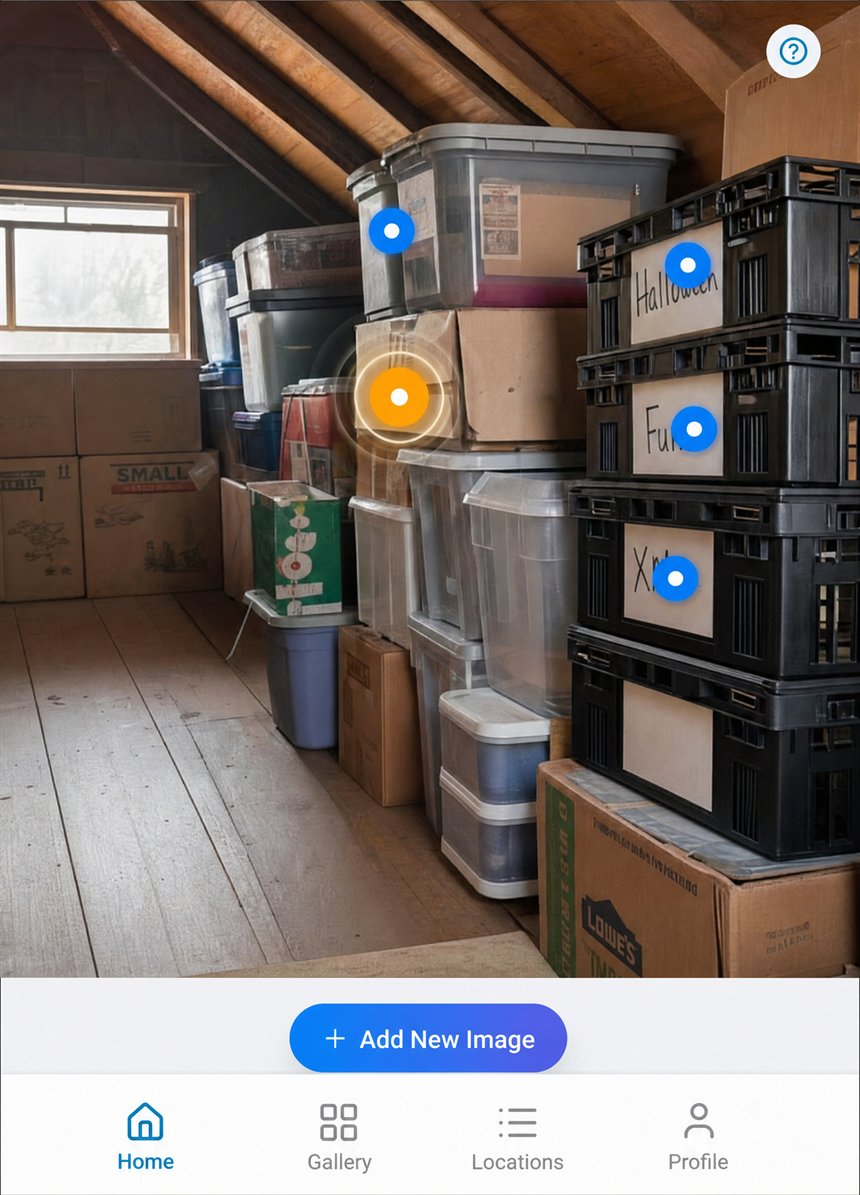
Blue Dots is a visual decluttering and organization app. You take one photo of any space — a garage, closet, kitchen, storage unit, or moving box — drop dots on the exact spots where items are stored, and the app turns that photo into a permanent, searchable map of your belongings. When you search, the matching dot lights up yellow on your real photo showing you exactly where the item is.
Blue Dot markers are interactive dots you place directly on a photograph of any physical space. Each dot remembers what is stored at that location — including a description, extra photos, and a status like Available, Almost Out, or Need to Buy. When you search for an item, the matching dot lights up yellow on the original photo so you see the exact real-world spot instantly.
Take a photo of your storage space, then tap the screen to drop dots on shelves, drawers, boxes, or any surface used for storage. Tap a dot to add a name, description, and status for the items at that spot. Placing the dots is quick. Naming what is inside them is the part that takes real time, because you are handling your own belongings while you do it.
That depends on how much is in the space, and it is worth being straight about it. The photo and the dots take a few minutes. Naming the contents takes as long as it takes to go through them. Blue Dots is not a daily habit to keep up — it is a project you finish one space at a time, one shelf or cupboard or room per sitting, and every space you finish stays findable from then on.
Yes. The app gives you a full inventory count across all your storage spaces. You can browse by category, name, or location, and see at a glance exactly how many items you have tracked.
Your photos and item names are encrypted in transit and at rest. Your spaces are private to your account — nobody else can see them unless you deliberately share one, and a share you create can be revoked. The one exception is things you mark to let go: once a thing in Personal mode has a photo and is marked Want to Sell, Donate or Gift, or Get Rid Of, the app shows it to your friends, and to nobody else. You can stop showing it at any time.
Yes. You can easily reassign an item to a different storage location at any time. Just tap the item, select "Move," and choose the new location. Your inventory updates instantly.
Blue Dots is available on Android (Google Play) and iOS (Apple App Store). Your data syncs automatically across all your devices, so you can view your inventory from your phone, tablet, or any connected device — from anywhere in the world.
Two people in particular. The collector or hobbyist whose things are worth keeping track of — records, tools, models, parts, spares. And anyone facing a big sort-out: a move, a downsizing, a parent's house, an insurance record you never got round to making. If your belongings outgrew your memory, this was built for you.
03Heard
We love hearing from organizers.